Export YouTube Playlist to Excel, CSV, Text, JSON, Bookmark HTML, HTML or XML
Export your favorite YouTube playlist or YouTube music playlist for free. Unlimited exports. No sign-up required. Export data to CSV, Excel, Text, JSON, Bookmark HTML, HTML or XML format. Customize what you want to export & how you want to export.
FAST, EASY & FREE !!
Optional: Customize export
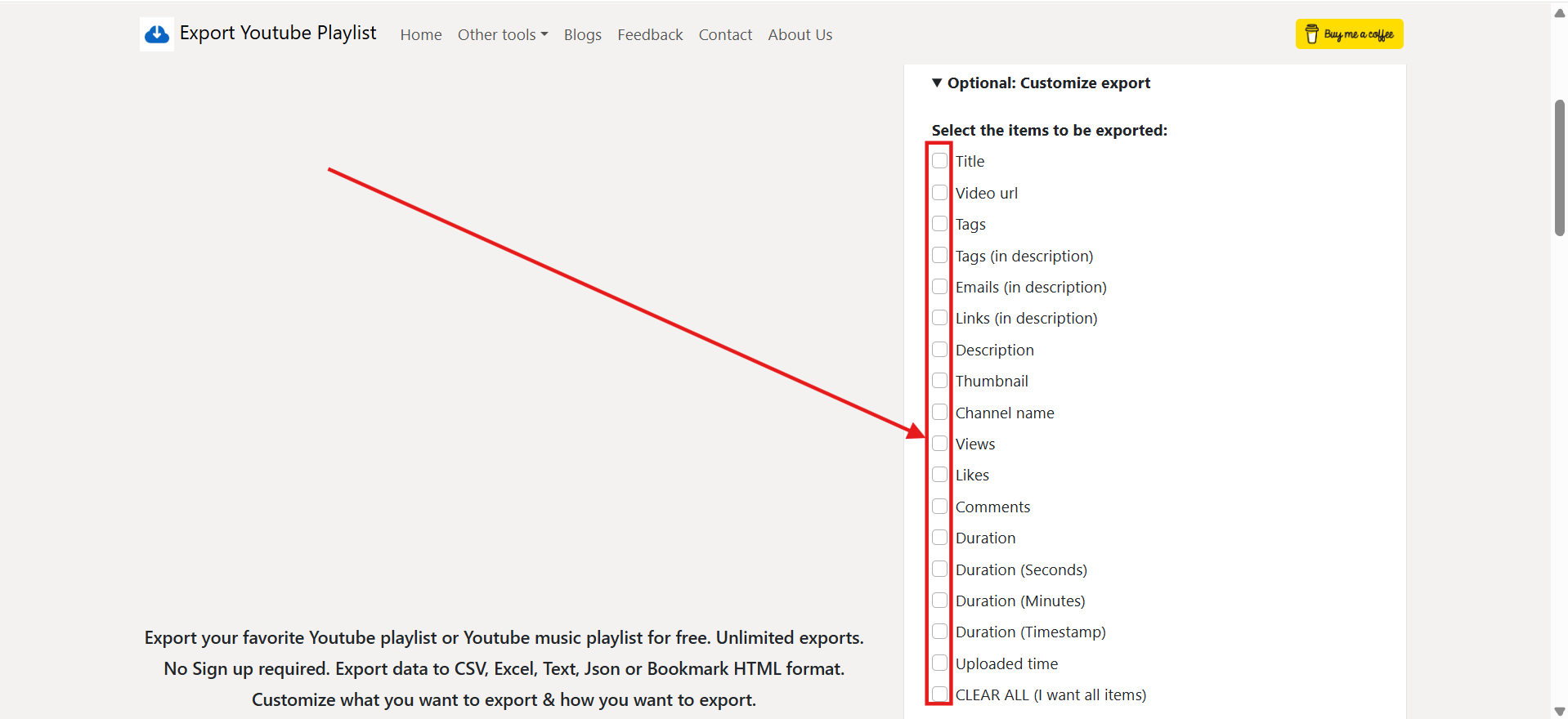
Select the items to be exported:
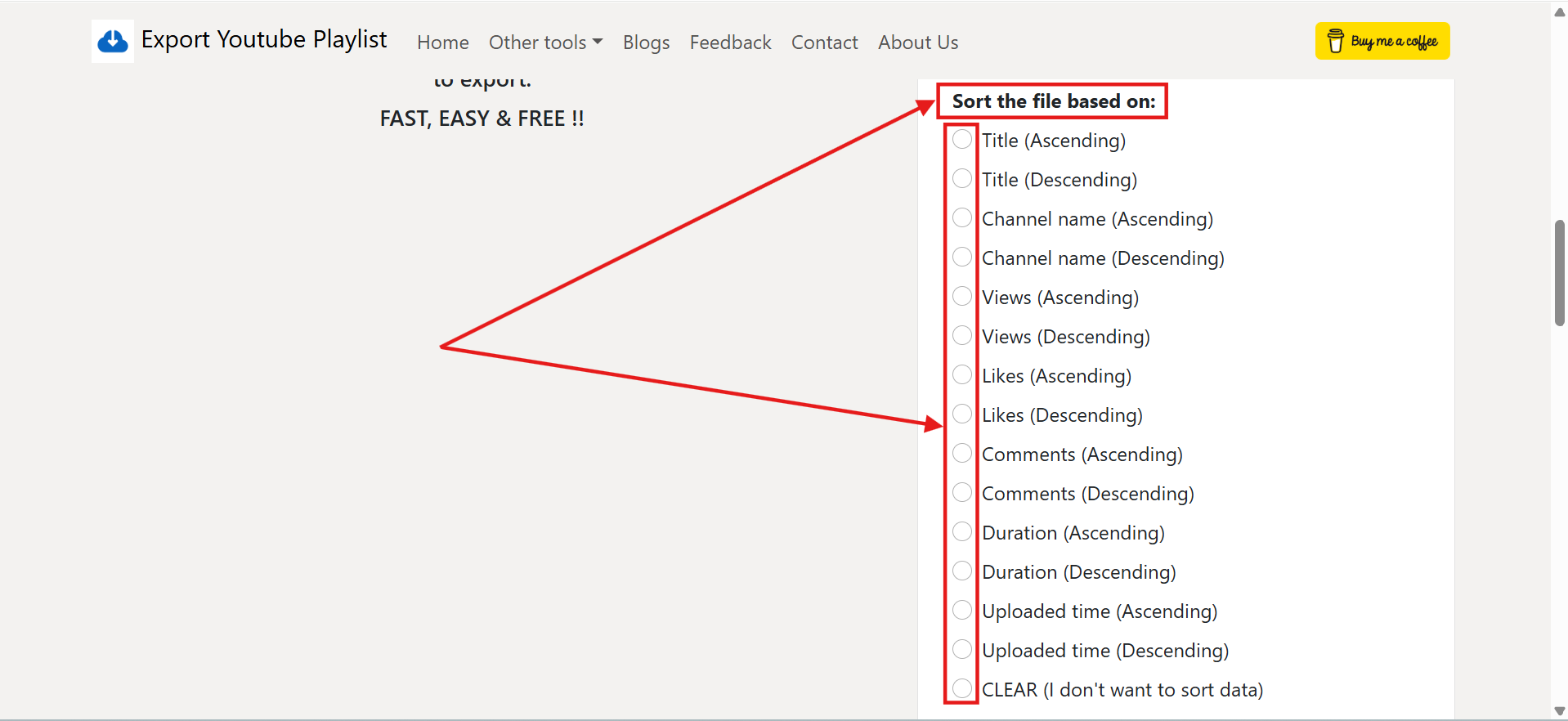
Sort the file based on:
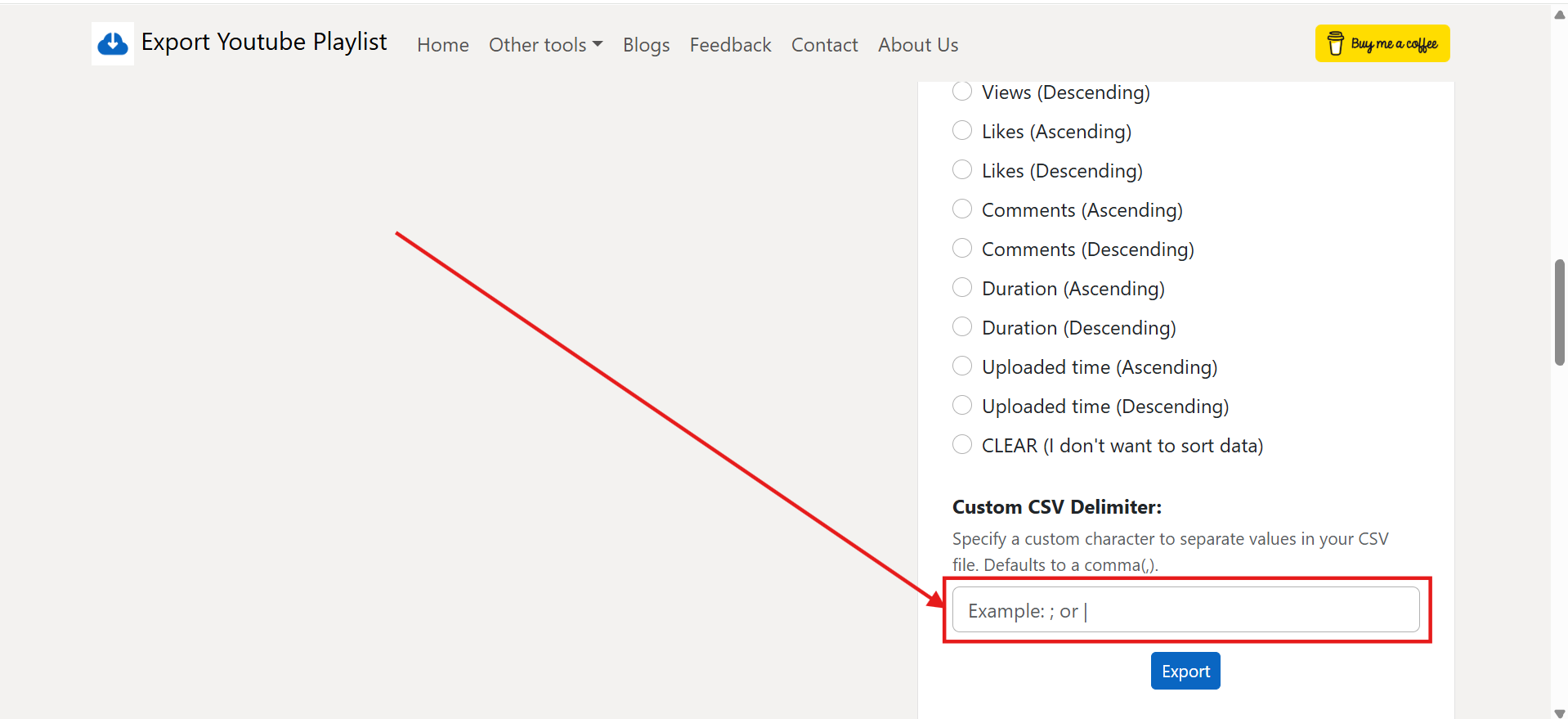
Custom CSV Delimiter:
CSV Encoding:
💡 Tip: If you want to list and export all playlists from a specific YouTube channel, use our new YouTube Channel Playlist Extractor.
Too many playlists to manage? Get email exports and instant alerts when videos are added or missing - for Private playlists, Liked videos & more! Check out Playlist Guard
Scan your playlist to reveal the original titles of deleted or private videos.
Find Deleted VideosWhy people use our YouTube Playlist Export Tool?
Here is some real world use cases showing why people around the world use our YouTube Playlist Export tool every day:
- For Music Lovers: Export youtube music playlist so you always have a backup list of your favorite songs. If YouTube removes a video, you will still know the song name.
- For Content Creators: Use our youtube playlist extractor to export your competitor playlists. You can save the youtube playlist to Excel/CSV to see which videos have the highest views and likes.
- For Students & Developers: If you are learning from big tutorial playlists, you can export youtube playlist to text format to keep a clean list of topics you need to study or export in bookmark format and add to your browser bookmarks.
How to Export YouTube Playlist to Excel, CSV, Text, JSON or Bookmark HTML?
It is very easy to export your favorite YouTube playlist videos. Just follow these simple and straightforward steps:
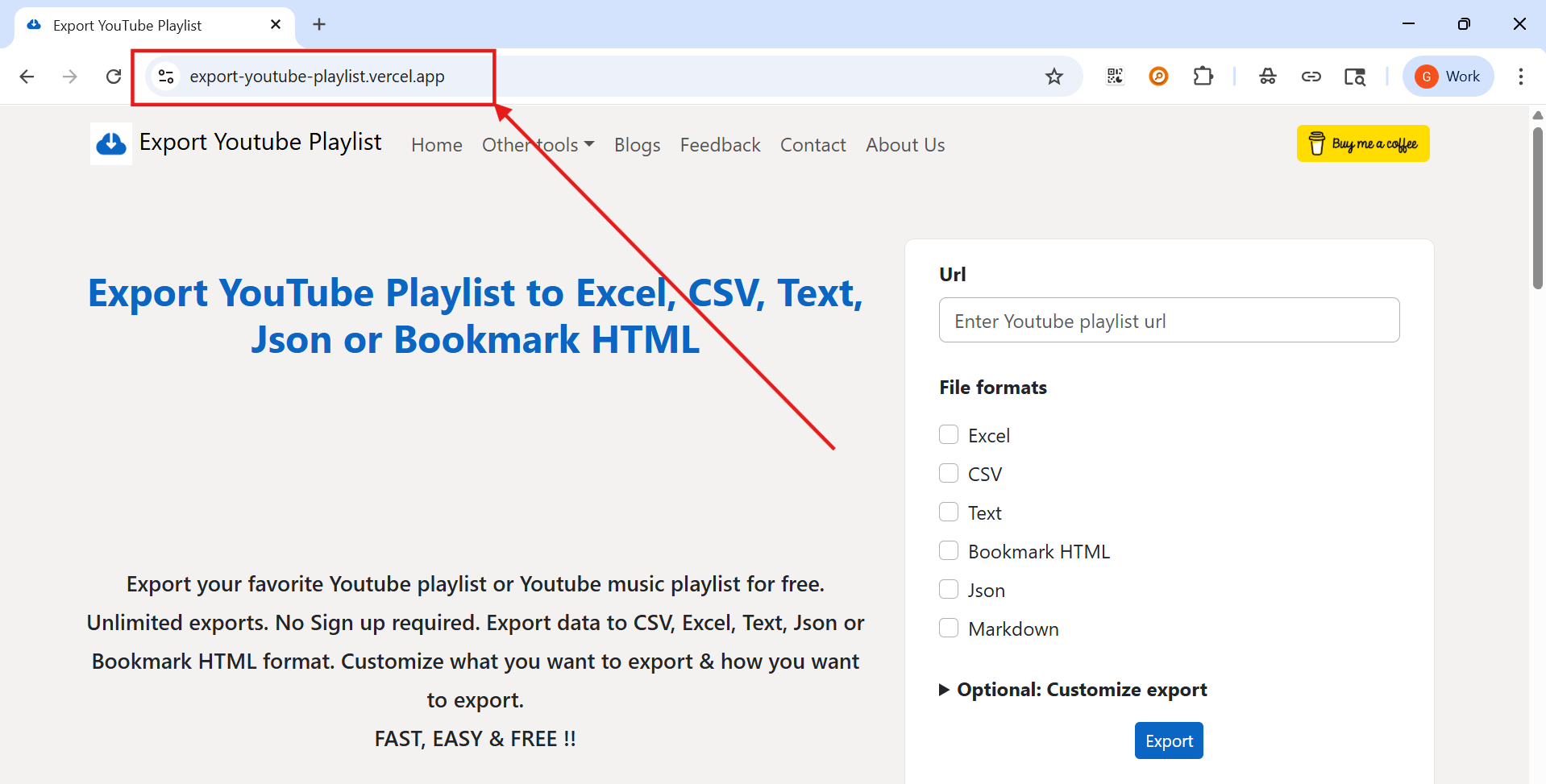
Step 1: Visit the Web Tool
First, open our YouTube Playlist Export tool. You can click here to access. It's completely free and requires no sign-up!
Step 2: Paste the YouTube Playlist URL
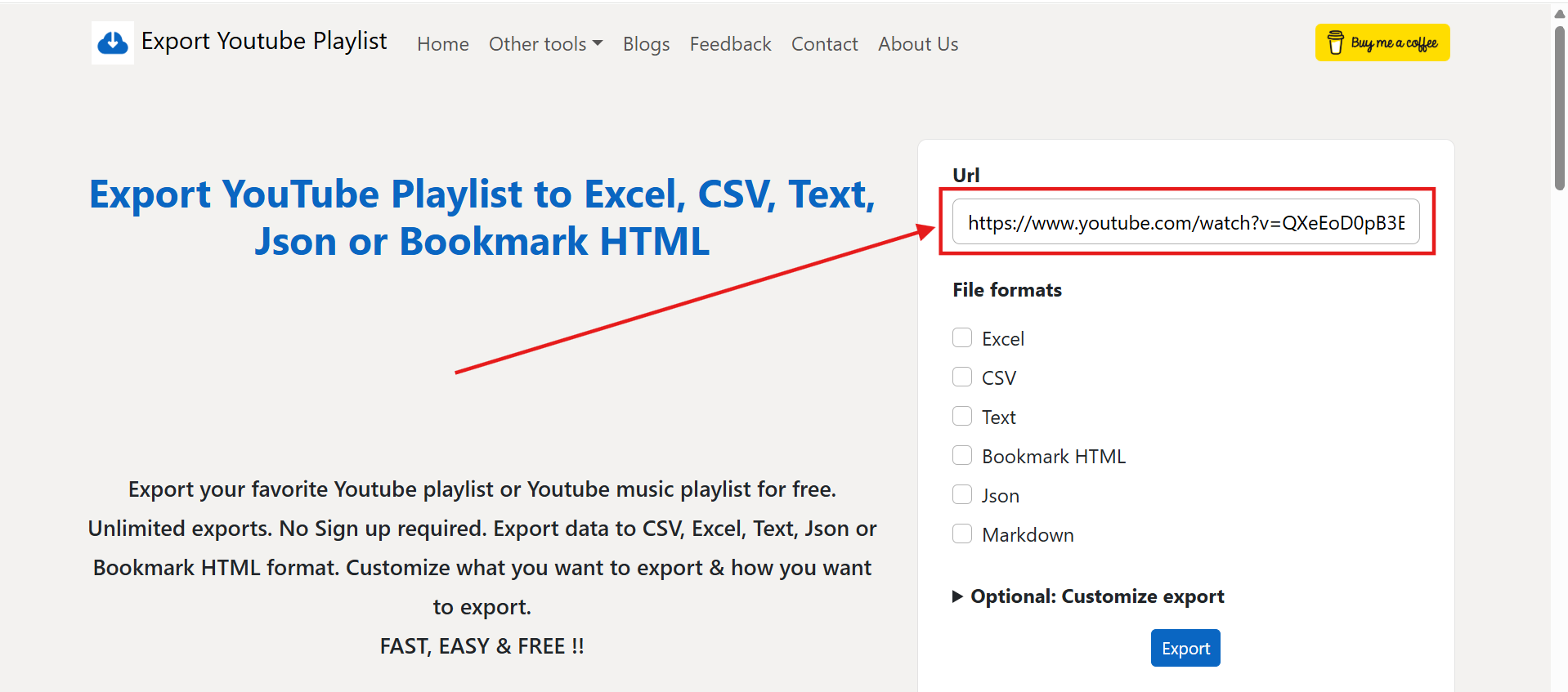
Simply go to YouTube, copy the link of the playlist you want to export, and paste it into the "Url" input box on our site. Our free youtube playlist exporter tool works for both YouTube & YouTube music playlists!
Step 3: Select Your Preferred File Formats
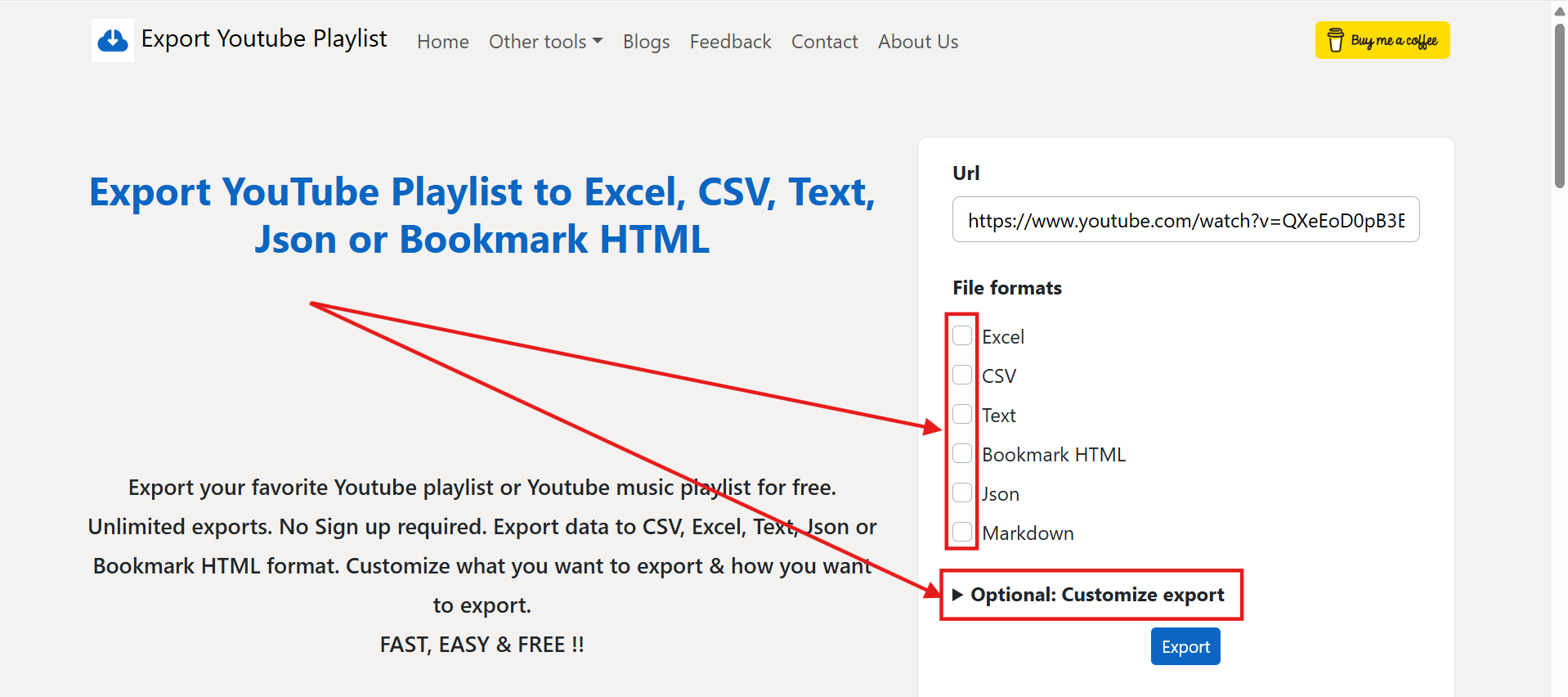
Tick the checkboxes for the file formats you need. You can select one or even multiple formats at once, such as Excel, CSV, Text, JSON, Markdown or Bookmark HTML. If nothing selected, we export all formats by default!
Step 4: Customize Your Data (Optional)
If you want to pick specific video details, click on Optional: Customize export. This lets you select exactly what you need, like Title, Views, Duration, or Tags. By default, we provide all the fields, if you want specific fields, you can select them here.
Step 5: Choose Sorting Order (Optional)
You can choose to sort the videos by Title, Channel name, Views, or Uploaded time in either ascending or descending order. By default, we maintain the default order of the playlist.
Step 6: Set a Custom Delimiter (Optional)
For advanced CSV users, you can specify a custom character (like a semicolon or pipe) to separate your data, making it compatible with any spreadsheets.
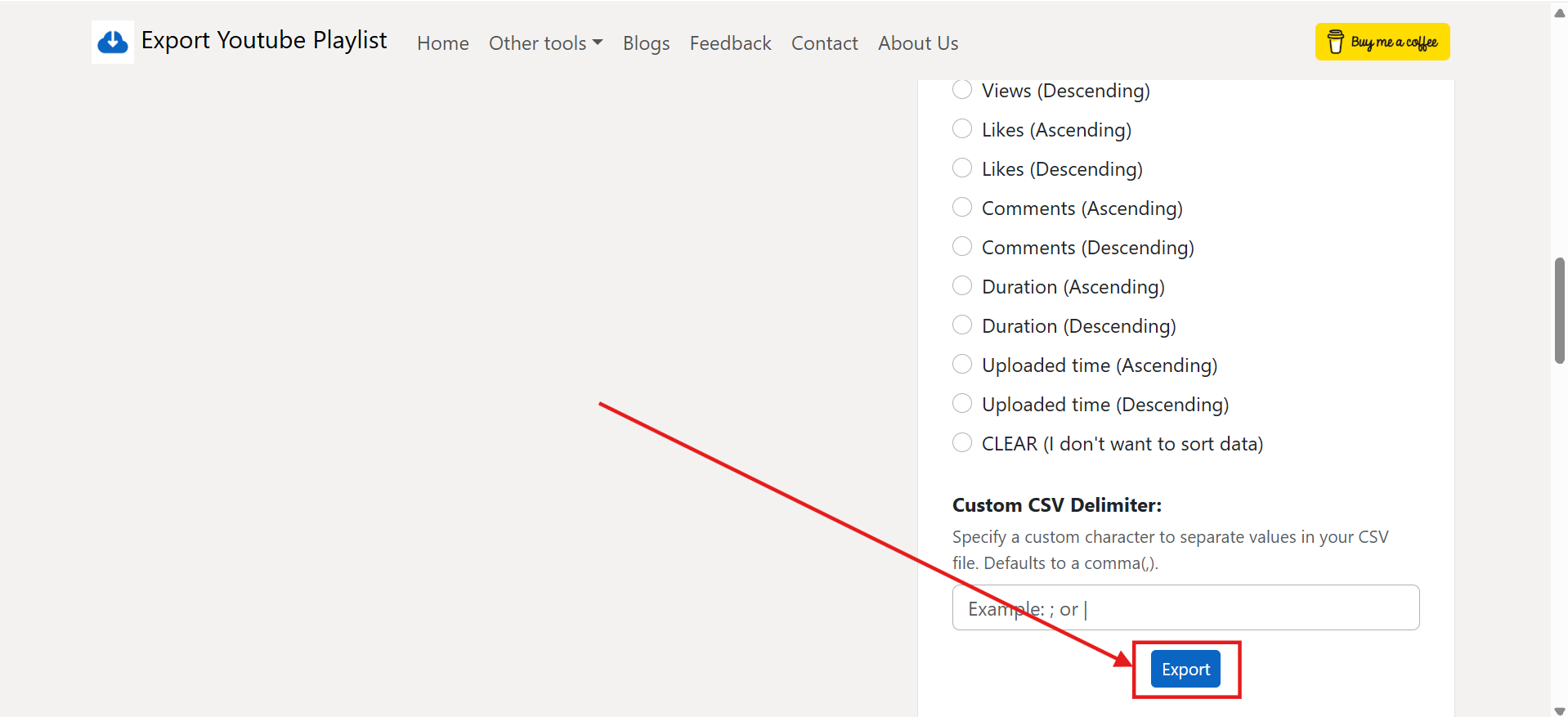
Step 7: Click Export & Download
Finally, hit the Export button. Your playlist will be processed, and your files will download automatically. If you chose multiple formats, they'll arrive in a single ZIP file!
Customization Options for YouTube Playlist Export
You can customize what data you want to export from the playlist. You can select:
- Video Info: Title, Description, Thumbnail URL and Video URL
- Channel Data: Channel Name
- Engagement Metrics: Total Views, Likes, and Comments
- Time & Duration: Upload Time, and duration available in Seconds, Minutes, or Timestamp format
Features of Our Free YouTube Playlist Exporter
Whether you manage personal playlists, analyze competitor channels, or maintain backups of educational material, our YouTube playlist exporter gives you full control over your data:
- No API Keys or Login Needed: You don't need to register for a YouTube Data API developer key or grant Google account permissions. Simply paste any public or unlisted playlist URL and export.
- Handles Large Playlists (Up to 5,000 Videos): Unlike web scrapers that fail after scrolling a few dozen videos, our tool scales smoothly to extract massive playlists up to YouTube's 5,000-video cap.
- Complete Data Customization: Select only the metadata columns you need - such as Video Title, URL, Tags, Description, Views, Likes, Duration, Upload Date, or Channel Name.
- 13 Multi-Format Exports: Download data in Excel (.xlsx), CSV, Plain Text (.txt), Markdown (.md), JSON, Bookmark HTML, SQLite, M3U/M3U8, or XML in a single click.
How to Convert a YouTube Playlist to Text (TXT & Markdown)
Converting a YouTube playlist to text is one of the most popular ways to transform video collections into searchable reading lists, study notes, or AI reference documents:
- For AI & LLM Workflows (ChatGPT, Gemini, NotebookLM): Export your playlist as a plain text or Markdown file to easily feed video titles, links, and descriptions into AI models for summarization, research, or content planning.
- For Study Checklists & Knowledge Bases: If you are following a coding, design, or language course on YouTube, exporting to text gives you a clean checklist to track your learning progress inside Notion, Obsidian, or Apple Notes.
- Customizing Plain Text Output: Use our Customize export option to choose whether your text file includes just video titles, titles with URLs, or full descriptions and upload timestamps.
Frequently Asked Questions
-
Is there a limit to how many videos I can export at once?
Our tool export up to 5000 videos for a single playlist which is the maximum allowed limit by YouTube for a Playlist.
-
Can I export private or unlisted YouTube playlists?
You can export "Unlisted" playlists because they are accessible via a link. So, You can convert your private playlist to unlisted temporarily and export it.
-
Are there any hidden fees or sign up required?
Our tool is 100% free and there is no sign up is needed to export YouTube Playlist.
-
I need a feature but thats not available in your tool?
You can request for a new feature by filling the form here.
-
My CSV file looks a bit messy when I open it in Excel, how can I fix this?
Sometimes, it may be due to delimiter issue. You can use the "Custom CSV Delimiter" option under our customizations before exporting to set it to whatever works best for you.
-
Does this tool works for YouTube Music playlists also?
Yes, it does. You can export YouTube Music playlists with our tool. All the customizations are also available for YouTube Music playlists.
-
What is the best file format for a youtube playlist export?
The best format really depends on what you want to do with the data. If you are looking to analyze the videos or sort them in a spreadsheet, you should export to Excel or CSV. If you just want to save the videos to watch later, Bookmark HTML is perfect for adding them straight to your browser. For developers looking to integrate the data into an app, JSON or XML is the way to go. If you just want a way to search/sort playlists, choose the HTML format.
-
Is it secure to use a third-party youtube playlist exporter?
Yes, it is completely safe. We don't ask for your Google login or channel access. Our youtube playlist exporter uses the official YouTube Data API to gather public information. This means we act as a secure bridge to get the data you need without ever touching your private account details.
-
Do I need coding skills to scrape youtube playlist results?
Not at all! Normally, trying to scrape youtube playlist results means writing complex code that breaks the moment YouTube updates its website. Our tool handles all the heavy lifting behind the scenes using official, stable connections. You get clean, organized data delivered right to you - zero coding required.
-
Can I choose specific details when I do a youtube playlist export?
Yes, you have full control over your youtube playlist export. Instead of downloading a massive file with data you don't need, our "Customize export" feature lets you pick exactly what to include. You can select specific details like video tags, emails found in descriptions, video duration, or engagement stats like views and likes.
-
Will the tool reliably handle massive course or tutorial playlists?
Absolutely. If you are looking to export a massive course or music collection, our tool scales perfectly. It can effortlessly process and extract up to 5,000 videos at once, which is the maximum playlist size YouTube currently allows.
-
How do I convert a YouTube playlist to text for notes or AI tools?
Simply paste your playlist link into our tool, select the 'Text' or 'Markdown' format checkbox, and click 'Export'. You will receive a clean text file containing all video titles, URLs, and metadata ready to paste into Notion, Obsidian, ChatGPT, or NotebookLM.
-
What makes this the best free YouTube playlist exporter online?
Our free YouTube playlist exporter connects directly to YouTube's official API to extract up to 5,000 videos per playlist across 13 output formats (Excel, CSV, Text, JSON, Bookmark HTML, Markdown, SQLite, etc.) with zero login or rate limits.
How to Scrape YouTube Playlist Results Using Official API
If you want to scrape YouTube playlist results, using the official YouTube Data API is the best and safest way to do it. Many developers try to use third-party tools or HTML scrapers, but these are very risky - if YouTube changes their UI even a little bit, your whole script will break. With the official API, you get a direct connection to YouTube's servers and they send you clean data in JSON format without any scraping headache. It is also completely safe and allowed by Google, so you don't have to worry about your IP getting blocked for making too many requests. So always prefer the official API for long-term peace of mind!
Export YouTube Playlist uses the official YouTube Data API v3 under the hood - no scraping, no brittle HTML parsing, no risk of breakage. Just paste your playlist URL and get clean, structured data instantly in Excel, CSV, JSON, Text, or Bookmark format. No code required. Completely free.